
Selecting personal financial planning software that models super, tax, and cashflow scenarios for Australians adds unnecessary time and complexity. Many platforms do not apply local tax rules or put Australian-specific tools behind paid upgrades, which increases both manual work and cost. This comparison lists five backpro.ai alternatives with a focus on Australian modelling depth, workflow features, and pricing so advisers, self-directed investors, and financial planners can choose more confidently.
Table of Contents
AlphaIQ
At a Glance
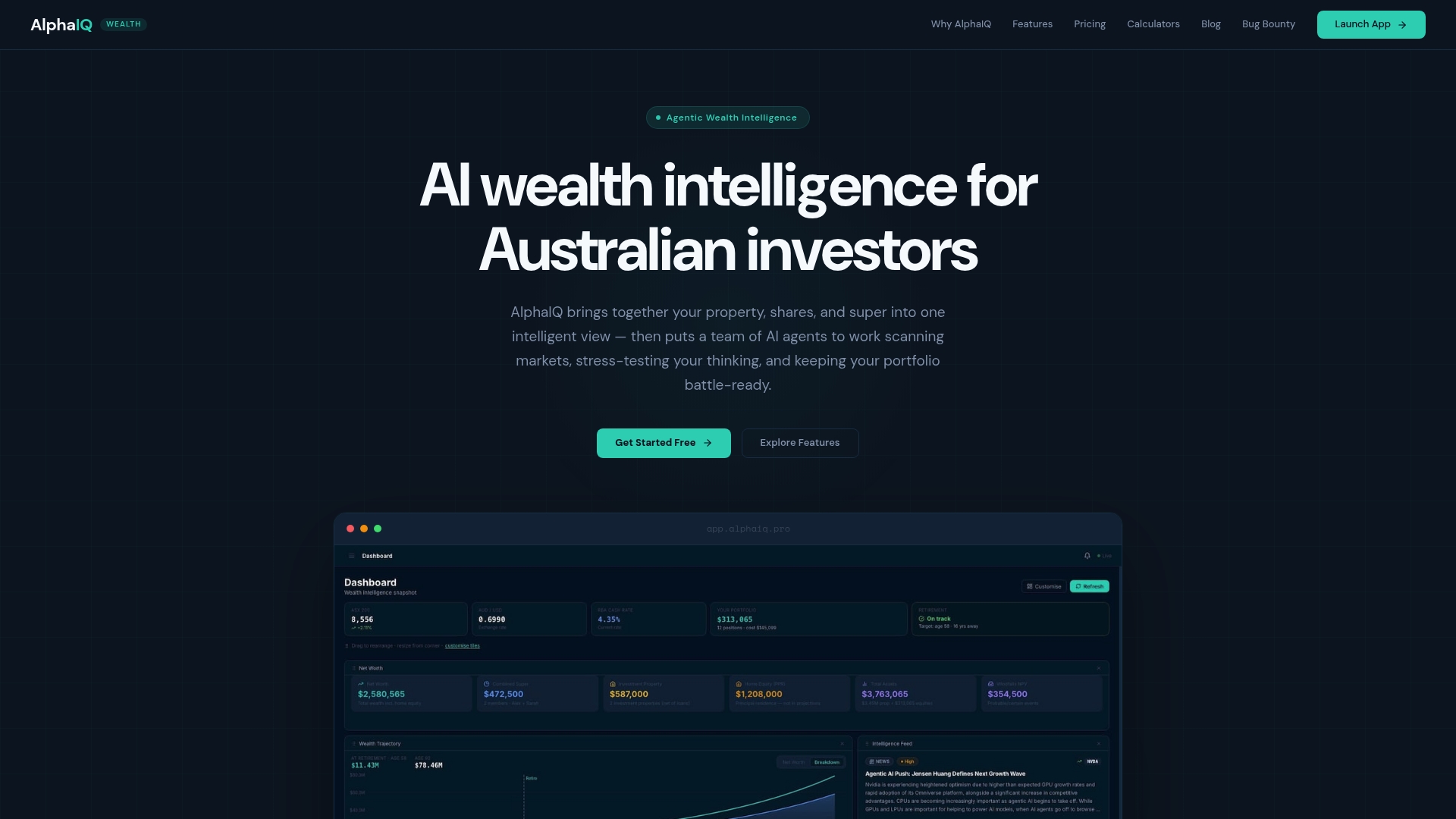
Proactive AI agents scan markets and stress test portfolios in real time against Australian tax, superannuation, and legal rules. The system also presents a single view of property, shares, super, and cash so you can see portfolio interactions at a glance. Dedicated calculators and a document vault let you test CGT, franking, negative gearing, and salary sacrifice scenarios without manual spreadsheets.
Core Features
The platform combines a unified portfolio view with scenario modelling for retirement, mortgage, and contribution strategies, and offers investment screening across ASX, US, and Japanese markets. Proactive AI agents deliver real time signals and conviction scoring while a document vault extracts tax and investment data for faster modelling. Tax aware calculations include negative gearing, capital gains tax, franking credits, and super projections so outputs reflect Australian rules.
Key Differentiator
The defining feature is the proactive AI agent layer that continually scans markets, stress tests holdings, and surfaces tailored alerts built for Australian tax and legal contexts. That layer links market signals to tax outcomes so a price move can immediately show a CGT or franking impact. This alignment between market intelligence and tax modelling is rare in wealth management software.
Pros
AlphaIQ gives a genuinely integrated view of property, shares, super, and cash, which makes cross asset tradeoffs visible and measurable. The platform’s market scanning agents and conviction scoring speed up idea validation and surface alerts you would otherwise miss. Robust scenario modelling and dedicated Australian tax tools let you test retirement and tax strategies quickly, and flexible subscription tiers include a free plan for initial use.
Cons
- Relies heavily on AI analysis which may contain inaccuracies and should be verified by the user.
Who It's For
This product suits advanced Australian investors, SMSF trustees, property and share traders, and financial planners who want detailed modelling and proactive alerts. It also fits self directed investors aged 35 to 65 who need tax aware projections tied to market signals. Casual investors who prefer simple dashboards may find the feature set more complex than necessary.
Unique Value Proposition
The platform pairs a practical toolkit of free calculators and a document extraction workflow with market level AI agents so you can test tax moves faster. That combination reduces the time from hypothesis to quantified outcome when you explore CGT strategies, debt recycling, or super contribution scenarios. For investors managing multiple asset classes this cuts hours of spreadsheet work.
Real World Use Case
A self funded retiree loads property, share, and super holdings into the system and runs retirement scenario modelling to compare drawdown options. AlphaIQ flags concentration risk and projects tax on likely asset sales, and sends alerts when market moves change expected retirement income. The retiree then tests a salary sacrifice and CGT timing scenario using the calculators and document vault.
Pricing
A free tier is available for basic access. Starter pricing begins at $29/month and Pro at $59/month. The tiered model lets you trial core tools before moving to advanced modelling and screening.
Website: https://alphaiq.pro
Canwi

At a Glance
Free core features plus a $39/month Plus tier let you unlock advanced modelling tools and unlimited scenario comparisons. Canwi sits among the useful backpro.ai alternatives for Australians who need local tax and super modelling without paying for bespoke advice. The platform emphasises data privacy and local support from an Australian team.
Core Features
Canwi models Australian specific rules such as superannuation, capital gains tax, negative gearing and pensions, and it lets you run what if scenarios side by side. The interface produces visual projections of net worth and cashflow over decades and accepts custom inputs for life events, income, expenses, assets and liabilities. You can create unlimited scenarios and compare outcomes to test tax and housing strategies.
Key Differentiator
Canwi’s main edge is that it embeds Australian tax and super rules into an accessible scenario comparison workflow. The platform ties projections to local mechanics so you can see how CGT timing or concessional contributions change long term cashflow. That focus makes it a practical tool for decisions that hinge on Australian policy details.
Pros
Canwi brings professional modelling power into a do it yourself interface while keeping complexity manageable for people with some financial knowledge. The free Starter plan removes the entry barrier and the paid Plus tier adds advanced options without the cost of ongoing adviser fees. Visual scenario comparison and long horizon cashflow charts help you test property, retirement and policy changes quickly. The vendor states it does not sell user data, which appeals to privacy conscious Australians.
Cons
- Some third party reviews say the interface looks less polished than certain competitors, which can slow onboarding for less confident users.
- Premium features sit behind a subscription, so bespoke tax or estate planning still requires a qualified adviser.
- Integrations with other financial tools are limited, which means manual data entry for some portfolios.
When It May Not Fit
If your situation needs tailored tax advice for complex estates or business structures, Canwi will not replace a tax specialist or certified financial planner. The limited third party app connections make the platform awkward for users who expect automatic bank and portfolio feeds. Large advisory practices that require deep integrations will find the ecosystem constrained.
Who It's For
Canwi fits Australians who prefer DIY modelling and who already understand basic financial concepts. It suits people planning property moves, retirement transitions or changes to super who want to experiment with assumptions. Users who favour hands on scenario testing and care about local tax accuracy will get the most value.
Real World Use Case
A young couple used Canwi to test buy and hold versus rent and invest strategies. They entered rental income, loan schedules and likely capital gains timing and compared net worth and cashflow outcomes over 30 years. The scenario view made tax timing and super contributions immediately comparable for their decision.
Pricing
Canwi offers a Free Starter plan and a Plus plan at $39/month with a savings option for annual billing. The free tier covers core modelling and visual scenarios while the Plus tier unlocks premium modelling features. Pricing is simple and aimed at DIY users who want predictable monthly costs.
Website: https://canwi.com.au
RetireMap

At a Glance
RetireMap's marketing materials state it can cut modelling time from days to hours or minutes. The product targets Australian advice teams and comes in two tiers, Standard and Premium (Quantum Pro), for different practice needs. It emphasises adviser led workflows, AI automation, and built in compliance for Australian regulation.
Core Features
RetireMap uses an Australian built cashflow modelling engine that handles entity and tax modelling while calculating Centrelink pension entitlements. It offers strategic scenario comparison tools and automated client reporting and documentation generation. AI driven fact find and report production aim to accelerate adviser workflows and reduce manual work.
Key Differentiator
Built specifically for Australian advice teams, RetireMap combines adviser led AI automation with practice integrations and compliance features tailored to local regulation. The platform positions speed and regulatory fit as its defining advantage for paraplanners and advice practices.
Pros
RetireMap delivers detailed modelling aligned with Australian tax and super rules, which helps advisers keep recommendations compliant. It integrates with common practice systems so data flows without repeated uploads, saving time on file handling. The product advertises adviser controlled AI for fact find, scenario modelling and report creation, and the earlier time saving claim supports faster client meetings and document delivery.
Cons
-
The interface and depth of options can feel complex for new users, according to third party reviews. This raises onboarding cost and training time.
-
Flexibility for non Australian jurisdictions or highly specialised legal structures is unclear from the materials. Practices with international clients may find limits.
-
Pricing information is not publicly specified in the content, which complicates procurement and budgeting for smaller practices.
When It May Not Fit
If your team lacks experience with Australian superannuation, tax rules and advice compliance, onboarding could be slow and resource heavy. Firms that need explicit pricing up front or predictable per seat fees may find the lack of published figures a blocker. International firms or practices serving many foreign assets should check structure support carefully.
Notable Integrations
RetireMap lists connections to Fin365, Rubica, Intelliflo, Paradino, Marloo and Claras. It also includes integrations with Claude AI and Copilot for Microsoft 365','ChatGPT as named items in the integrations list. These links help move client data and draft documents into practice systems.
Who It's For
This product fits Australian financial advice practices, paraplanners and accounting firms that model retirement scenarios and multi entity tax structures. It suits teams that prioritise adviser control over AI outputs and that can invest in onboarding to master the tool.
Real World Use Case
A mid sized financial planning firm runs client meetings using RetireMap Quantum Pro to model several retirement strategies on the spot. The adviser uses the AI fact find to populate inputs, generates comparative scenarios and exports a compliant statement of advice in the same session, improving meeting conversion and follow up speed.
Pricing
Pricing is not specified in the content. The product is offered in Standard and Premium tiers with a Quantum Pro label for the top tier, but published fees or seat models are not listed. Prospective buyers must contact the vendor for detailed pricing and licensing terms.
Website: https://retiremap.com.au
Optimo Pathfinder
At a Glance
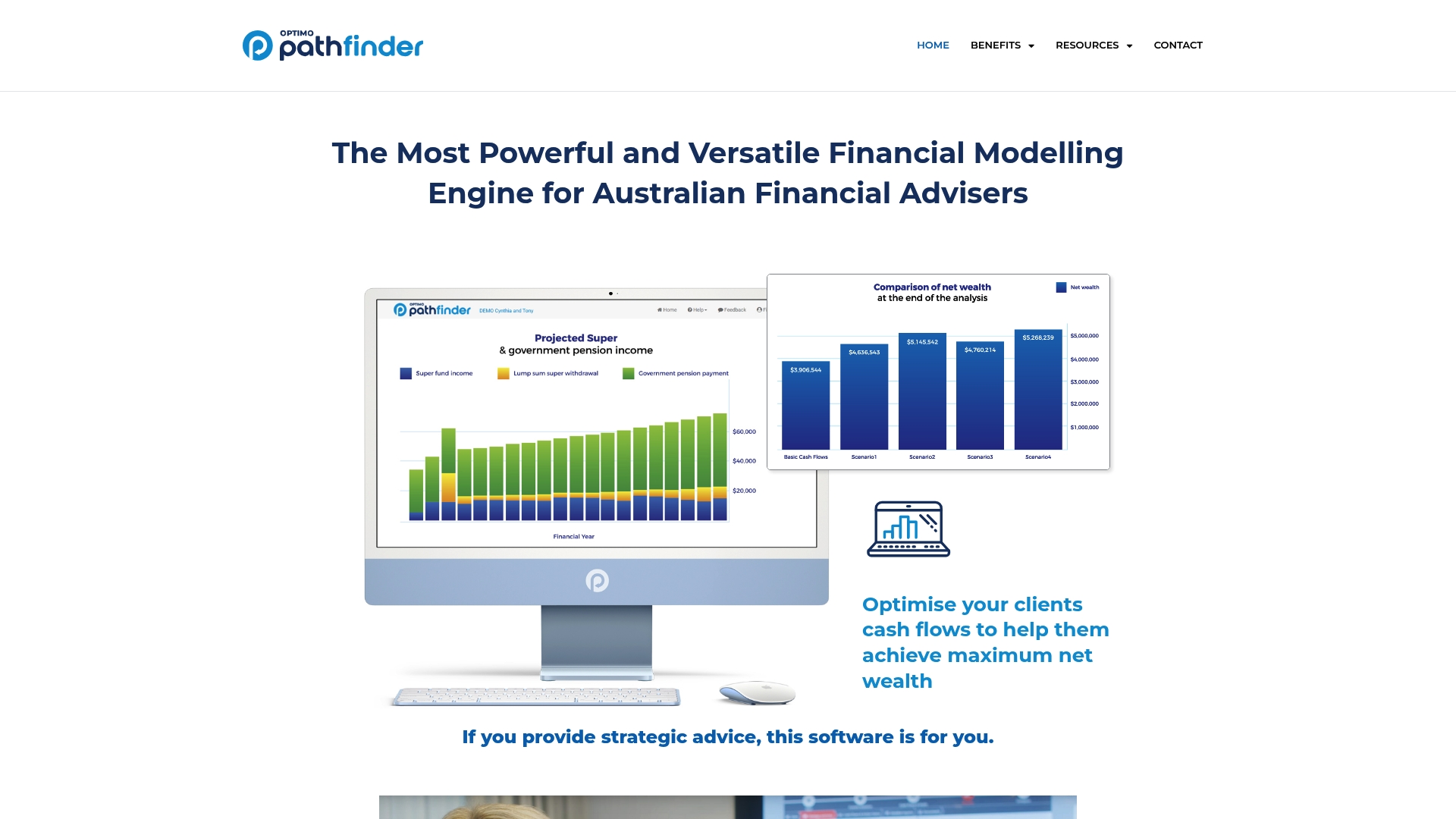
The vendor advertises optimisation that runs millions of calculations to identify better client outcomes. According to the company, projections extend up to 20 years for long term planning. It targets Australian financial advisers with scenario comparison and editable client reports for presentation.
Core Features
Optimo Pathfinder walks advisers through a step by step fact finding flow and accepts year by year inputs for assumptions. It supports goal setting with automatic feasibility checks and a strategy optimisation engine that evaluates many permutations. Reporting produces scenario comparisons and editable templates advisers can use to explain trade offs to clients.
Key Differentiator
The platform combines modelling and optimisation into a single module tailored for the Australian advice market. Keeping scenario logic in one place reduces the need to move figures between spreadsheets and separate solvers. That approach suits advisers who build multi factor strategies across superannuation, assets and liabilities.
Pros
Third party reviews describe the interface as user friendly and intuitive, which speeds client setup and data entry. The modelling scope covers superannuation, assets and liabilities and supports scenarios that span multiple decades with plain English outputs. Editable templates create client facing reports advisers can tailor to explain tax, cash flow and strategy trade offs.
Cons
-
Steep learning curve for advisers new to advanced modelling. The tool's depth requires training time.
-
Pricing is not published which may make it hard for smaller practices to budget. The vendor lists pricing as not applicable and informational only.
-
Limited public information on integrations and scalability. Advisers dependent on connected systems should ask the vendor for details.
Who It's For
Advisers and strategy professionals in Australia who deliver complex financial plans will find Pathfinder relevant. Teams that prepare client facing strategy papers and need editable presentation templates will benefit from the single module approach. Smaller practices sensitive to cost should confirm pricing and implementation effort before committing.
Real World Use Case
An adviser models retirement and wealth building strategies for a client, testing different contribution and drawdown options. They compare scenarios, review tax and cash flow effects, and prepare an editable report for client discussion. The report helps the client choose a strategy and provides a clear record of assumptions and recommended actions.
Pricing
Pricing is not publicly listed. The product's pricing field is labelled not applicable and informational only. Advisers should contact Optimo Pathfinder directly for licensing and implementation terms.
Website: https://optimofinancial.com.au
Plutosoft
At a Glance
Plutosoft states it is ISO 27001 certified. The vendor advertises the highest NPS in the CRM category for 2024 and 2025. The product bundles CRM, advice production, and an integrated client portal in one Australian-facing package.
Core Features
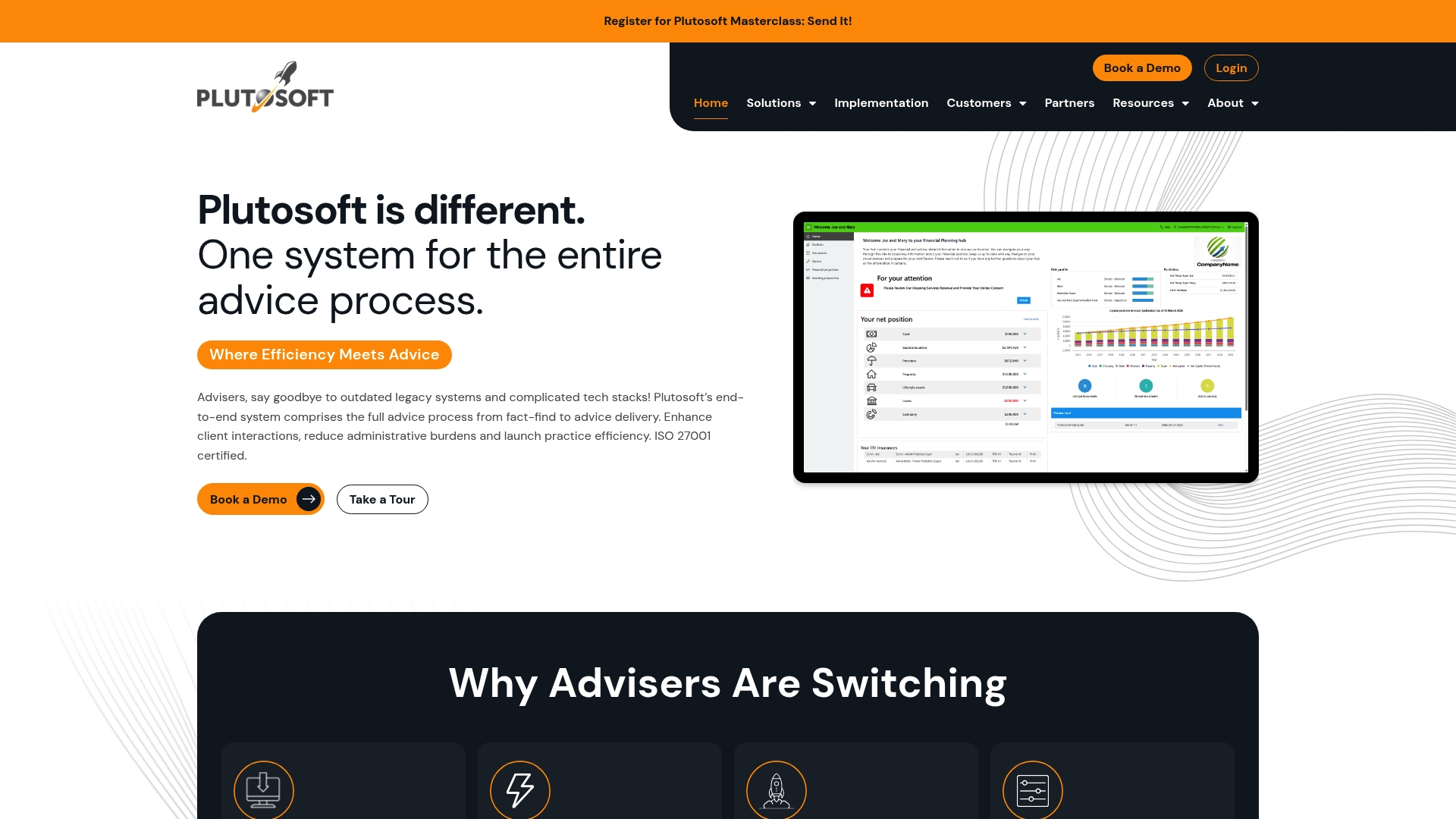
Plutosoft delivers a complete CRM and advice production stack that joins fact find, advice documents, and client communication. The platform includes interactive cash flow and scenario modelling alongside workflow automation and compliance tracking. Advisers can customise templates and workflows to match existing practice methods.
Key Differentiator
Plutosoft focuses on a single workflow that covers the entire advice process from client onboarding to advice delivery. That integrated approach reduces the need to move data between disparate tools. The emphasis on adviser-facing usability makes configuration accessible to practice teams rather than to developers.
Pros
The interface is clearly aimed at financial advisers and practice managers, which lowers the learning curve for non-technical staff. Customisable workflows and templates let practices align software to their existing processes without heavy coding. The built in client portal and tight integrations with major Australian platforms reduce manual reconciliation and repeated data entry.
Cons
- Xplan still offers deeper modelling for complex scenarios, though Plutosoft trades that depth for simpler operation.
- Getting the most from custom workflows requires time and training, according to buyer feedback.
- Public detail on specific technical limitations and data handling practices is limited.
When It May Not Fit
Practices that need highly complex actuarial modelling or bespoke modelling engines may find Plutosoft too light on advanced calculation features. Small teams without capacity for initial configuration and training may see slower adoption. If your firm relies on every advanced modelling flag in Xplan, this product may not meet those niche needs.
Notable Integrations
Plutosoft lists integrations with major Australian investment and platform providers including MLC, Netwealth, Praemium, Hub 24, Insignia Financial, Macquarie, AUSIEX, and Bell Direct. Those connections help keep portfolio and platform data synchronised with client records. The ecosystem reduces manual uploads for common custody platforms.
Who It's For
Australian financial advisers and practice managers who want a single system to manage CRM, advice production, and compliance will find the fit attractive. Dealer groups seeking central oversight without forcing advisers onto developer‑level tools will also benefit. Firms that prioritise adviser usability over the deepest modelling features are the core audience.
Real World Use Case
The vendor reports a mid sized Australian advice firm moved from Xplan to Plutosoft and reduced advice turnaround from six weeks to 1.5 days. The same account says compliance workflows became easier to track and document after migration. That example illustrates how configuration and process changes can speed delivery in practice.
Pricing
Pricing is not publicly listed and the product entry is informational only. Interested practices should contact Plutosoft for tailored pricing based on firm size and integration needs. Licence models and implementation fees are likely to vary by deployment scope.
Website: https://plutosoft.com.au
Comparison of alternatives
For investors and advice practices analysing backpro.ai alternatives, AlphaIQ distinguishes itself by integrating real-time market insights with, tax-aware projections. While other platforms excel in specific areas, each offers unique benefits tailored to varied user profiles.
Accessibility for Different Financial Expertise Levels
AlphaIQ provides advanced modelling capabilities ideal for handling complex financial landscapes, making it suitable for skilled Australian investors and advice teams. Meanwhile, Canwi targets the entry-level market with an intuitive interface and a free tier allowing new users to explore DIY financial planning without upfront costs. Optimo Pathfinder offers detailed guidance layers, albeit with a steeper learning curve, making it a potential choice for practices prioritising educational depth.
Workflow Efficiency and Integration
RetireMap and Plutosoft shine in streamlining adviser practices. RetireMap’s AI accelerates client documentation creation and compliance adherence, enhancing efficiency for larger firms. Plutosoft expands this functionality by merging CRM systems and cash flow modelling within an accessible interface, reducing data migration between tools. Both platforms present compelling options for advice teams focussing on time management and client interaction but with different scopes of usability.
Best fit
- Advanced Australian investors handling multi-asset portfolios benefit the most from AlphaIQ’s integration of market signals with tax implications.
- DIY planners aiming for cost efficiency and privacy find Canwi’s standalone modelling tools and affordable subscription model appealing.
- Small advice teams requiring connected, compliant workflows will choose RetireMap’s tailored integrations and compliance monitoring.
- Dedicated paraplanners focussing on scenario optimisation appreciate Optimo Pathfinder’s depth-oriented calculation engine.
Our pick
AlphaIQ retains its position as the recommended choice for readers demanding a unified approach to live market data and precise tax modelling. It bridges intuitive interfacing with analytical algorithms, ensuring relevance for experienced investors managing diverse financial portfolios. Casual planners may prefer introductory models elsewhere, but for application depth and responsive systems, AlphaIQ is in this comparison.
Evaluate the following financial planning software options to identify the best fit for your specific needs and preferences.
| Product | Key Differentiator | Best For | Pricing | Notable Limitation |
|---|---|---|---|---|
| Alphaiq | Proactive AI agents that align market signals to tax outcomes | Advanced Australian investors and financial planners | From $29/month, free tier available | Requires user verification of AI analyses for accuracy |
| Canwi | Local tax and super scenario comparison | DIY planners familiar with Australian financial rules | Free Starter, Plus at $39/month | Limited financial tool integrations requiring manual data entry |
| RetireMap | Adviser-focused AI automation and compliance features | Australian financial advisers and compliance-based workflows | Price not published | Steeper learning curve and resource requirements for onboarding |
| Optimo Pathfinder | Strategy optimisation with advanced scenario modelling | Advisers needing long-term strategy evaluation | Price not published | Complex functionality requires training, making it less suitable for new advisers |
| Plutosoft | Unified CRM and advice production platform | Australian advice firms focusing on integrated workflows | Price not published | Basic modelling capabilities may not suit highly complex scenarios |
How To Confidently Manage Your Financial Modelling Needs Without Backpro.ai
Choosing the right tool to handle your investments, superannuation, property, and retirement modelling is vital for advanced Australian investors and SMSF trustees. Many find it challenging to align market signals with tax implications like capital gains tax and franking credits without hours spent on spreadsheets. Alphaiq addresses this by combining tax-aware financial modelling and AI-powered scenario simulation tailored specifically for Australian rules.
Alphaiq offers:
- A single view of multiple asset classes to spot portfolio interactions clearly
- Real-time alerts linking market moves to tax impacts
- Dedicated calculators for retirement and tax planning
See how Alphaiq can reduce complexity and give you practical clarity. Visit Alphaiq to add your holdings and begin testing scenarios with precise Australian tax insights.
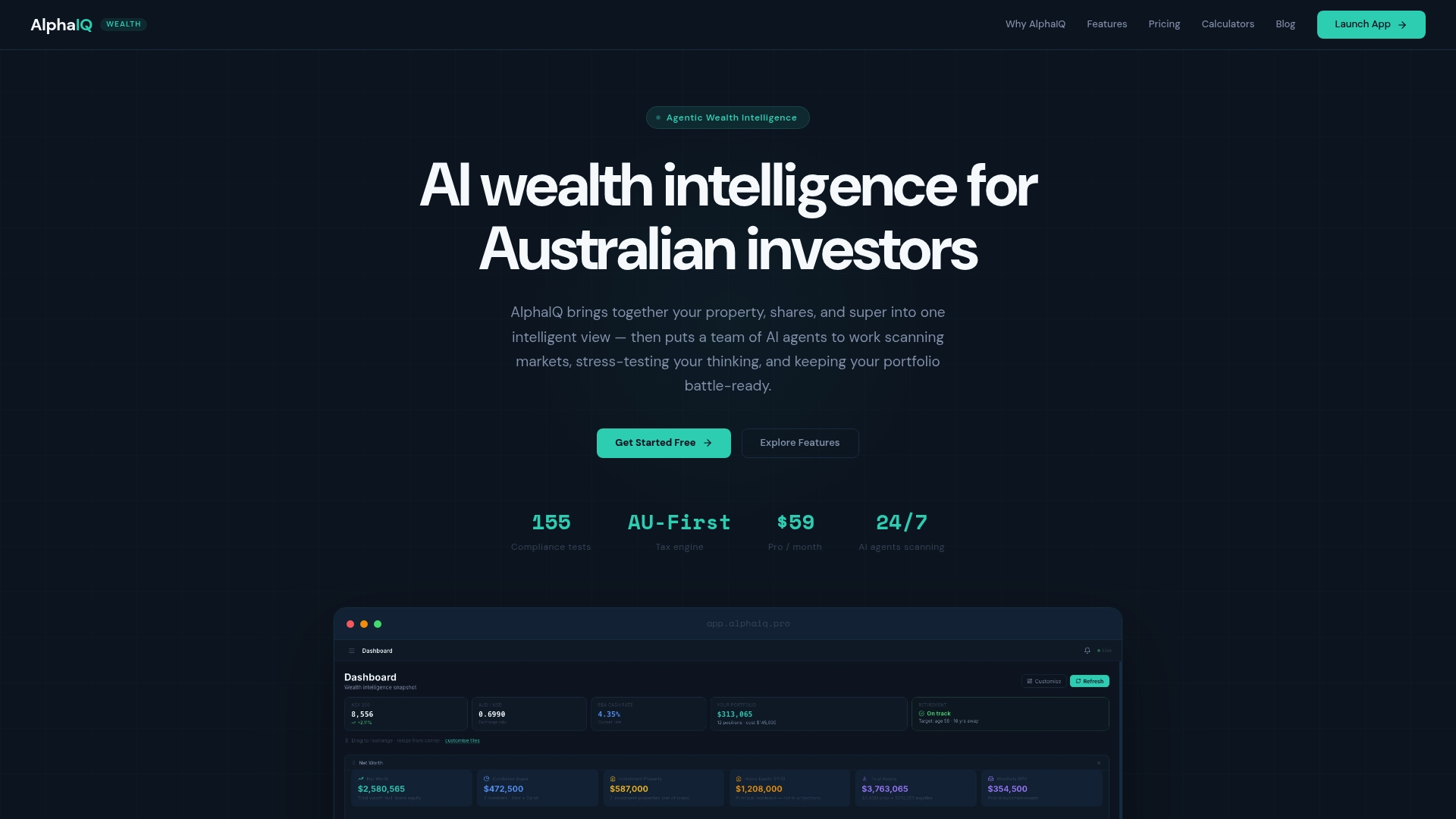
Compare your investment approaches with Alphaiq’s AI agents. Import your portfolio today and model your retirement income and tax strategies with confidence.
FAQ
What unique features does Alphaiq offer for retirement planning?
Alphaiq includes proactive AI agents that stress test portfolios in real time, ensuring compliance with Australian tax, superannuation, and legal rules. This real-time scanning allows users to assess their investments comprehensively, which is particularly beneficial for those needing detailed retirement strategies. Users can utilise these features to enhance their financial planning process.
How does Canwi compare to Alphaiq in terms of scenario modelling?
Canwi excels in providing a DIY modelling interface that allows unlimited scenario comparisons with visual projections of net worth and cash flow. While Canwi focuses on accessible scenario testing, Alphaiq's strength lies in its proactive AI agents that link market signals to tax outcomes, making it a better fit for those looking for integrated tax-aware projections.
What pricing options are available for Alphaiq?
Alphaiq offers a free tier for basic access, with paid subscriptions starting at $29/month for the Starter plan and $59/month for the Pro plan. This tiered model gives users flexibility to explore the platform before committing to more advanced features, allowing for a personalised approach to financial planning.
Can I expect tailored alerts with Alphaiq?
Yes, Alphaiq's proactive AI agents provide tailored alerts based on market movements and stress tests, alerting users to potential impacts on their portfolios. This feature helps users stay informed and make better financial decisions in real time, enhancing their investment strategies.
What type of investors would benefit most from using Alphaiq?
Alphaiq is best suited for advanced Australian investors, SMSF trustees, and financial planners who require detailed modelling and proactive alerts. The platform's comprehensive tools are especially valuable for those actively managing diverse asset classes and needing to understand tax implications in-depth.